
Nudges & Streaks
A gentle push, right when it counts
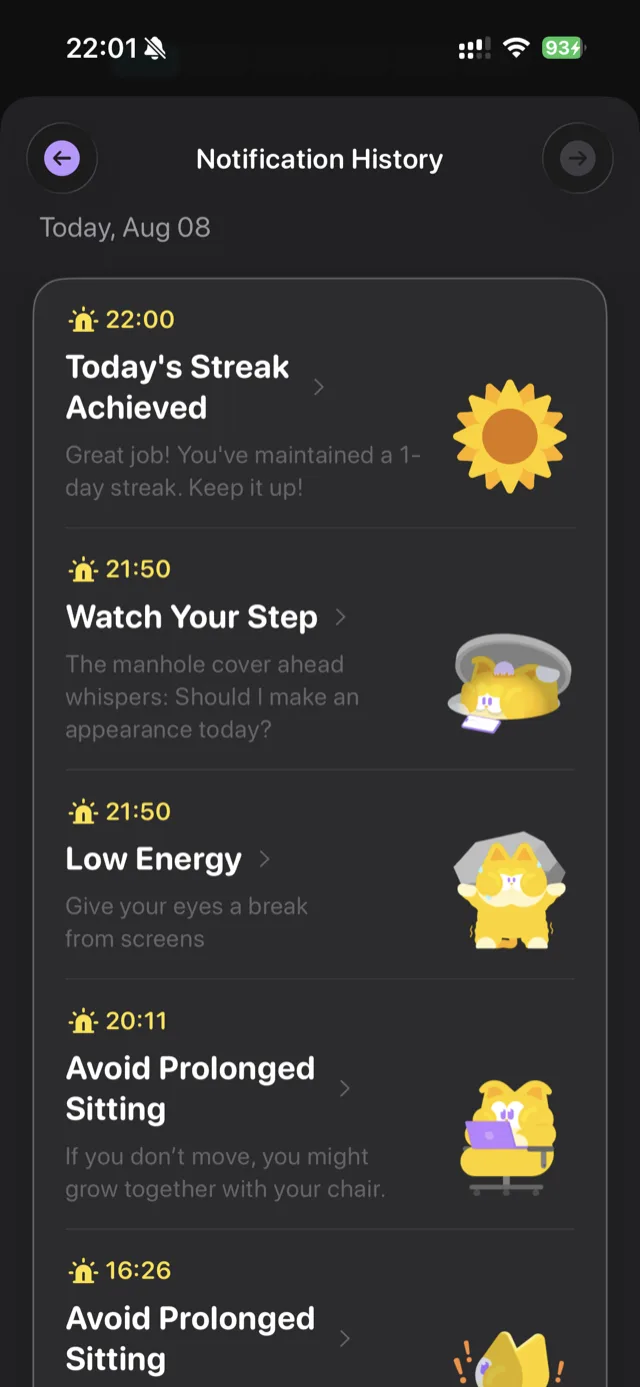
Timely reminders when your energy dips or you’ve sat too long, plus streak milestones that make showing up feel good.
 Your health companion
Moodji brings Apple Watch and iPhone together to turn health data into clear snapshots of how you’re doing, automatically light up Daily Habits, and help you build a healthier routine.
Understand Apple Watch health signals →A day with Moodji
Start with real-time states, look back at hourly states, light up Daily Habits and earn the day’s streak. Bring the day together in your Life Canvas, then review weekly and monthly insights. Open state tags to understand the health and screen-time records behind them.
Real iPhone and Apple Watch screens, shown in English. Feature examples from different times. Watch and iPhone readings are not a synchronized comparison. Available records depend on your device, permissions and data.
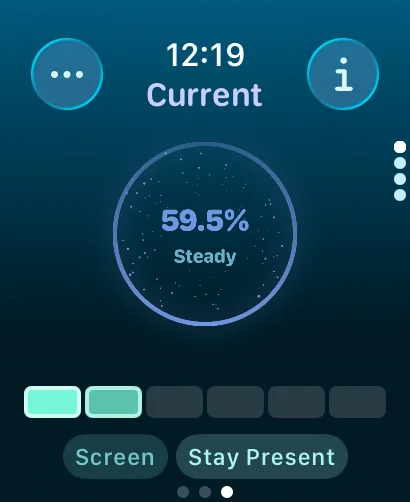
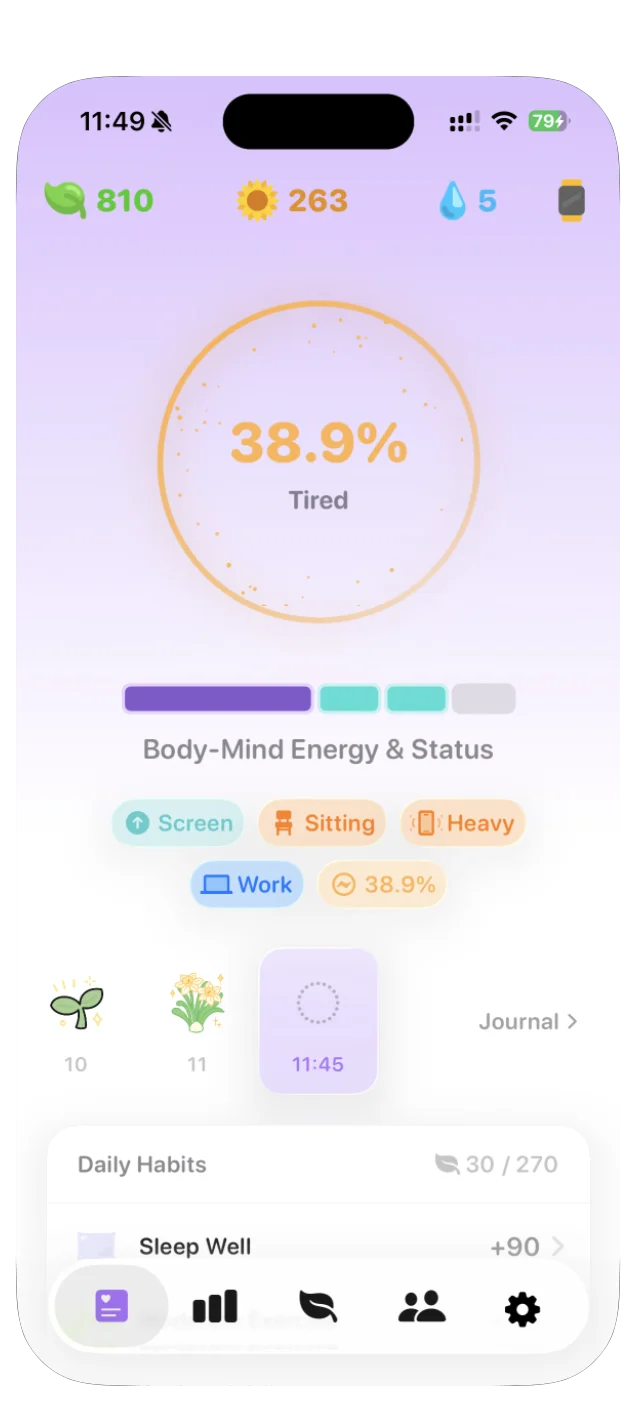
Open your iPhone or raise your wrist to check your current state and Body & Mind Battery.
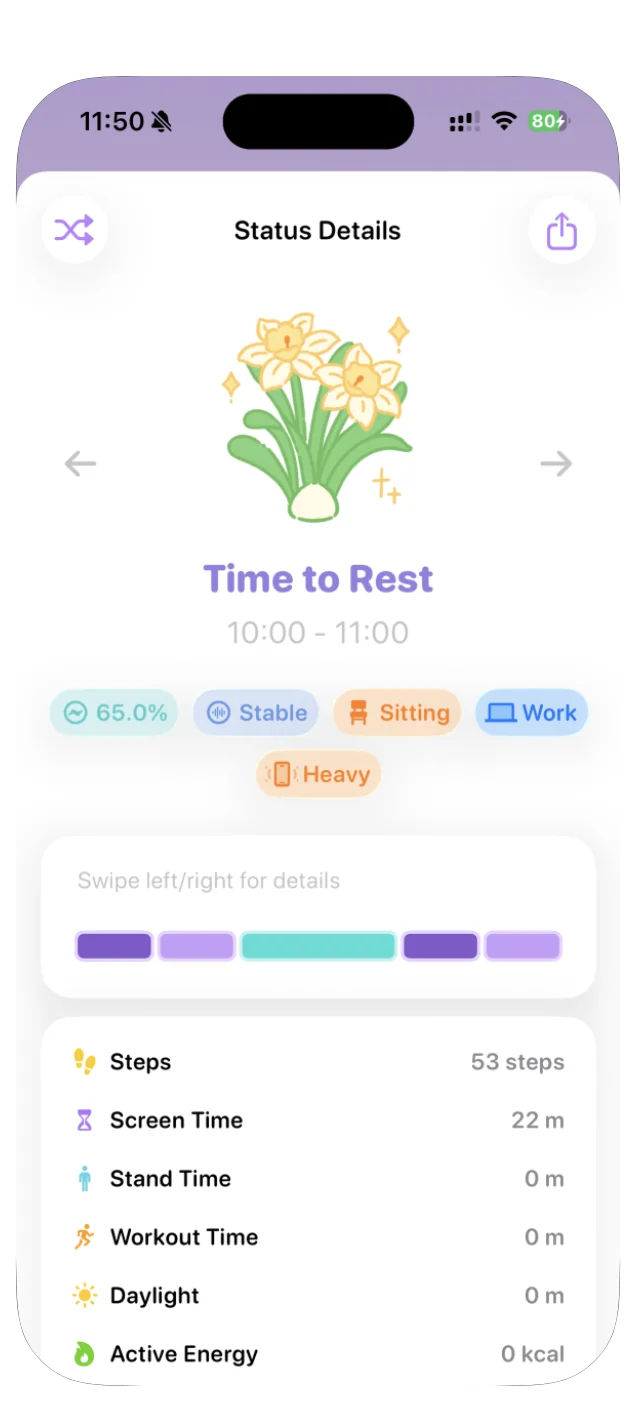
Open a state tag to explore the health, screen time, and habit records for that period and understand the data behind your state.
See the estimated Body & Mind Battery and its daily curve. This is Moodji’s estimate, not your device’s battery charge.
Open state details to see related tags and available records. The watch also has a Realtime Status view; fields and time ranges follow the screen shown.
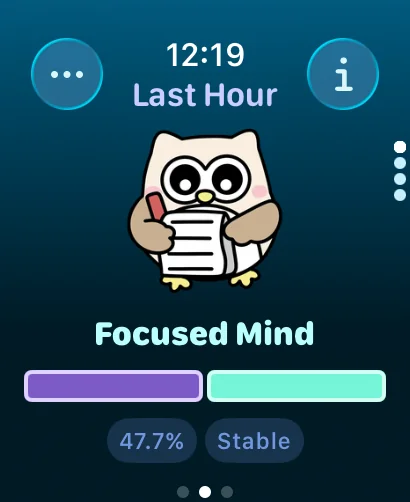
Look back at hourly states represented by Moodji stickers, and open tags to inspect related records and explanations. Qualifying hourly states then light up the corresponding Daily Habits.
The hour at a glance: a state, its tags and the related records.
Open the screen-time tag to see the selected hour’s usage and distribution. A work-use tag adds context to the record.
The energy-change detail shows available readings such as steps, active energy and HRV. Missing fields stay empty; a state is Moodji’s interpretation, not a direct measurement of an emotion.
Open the sitting tag to view the step record and distribution for the selected hour, alongside its explanation.
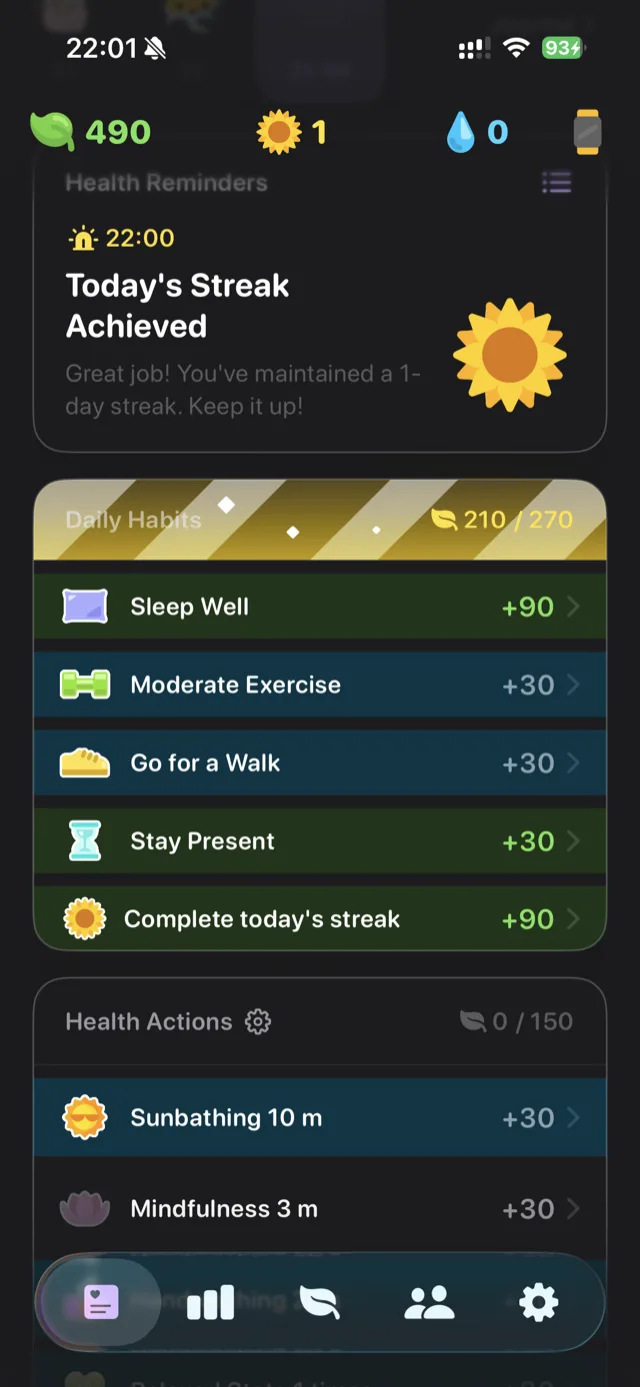
A qualifying hourly state lights up the corresponding Daily Habit and earns leaf rewards. Light up all four—sleep, walking, exercise and focus—on the same day to earn that day’s streak. The habit calendar keeps a day-by-day record.
Start with today’s four Daily Habits and their virtual rewards. All four must light up on the same day to earn that day’s streak.
Light up all four Daily Habits on the same day to earn that day’s streak. Keep completing them to build your streak record.
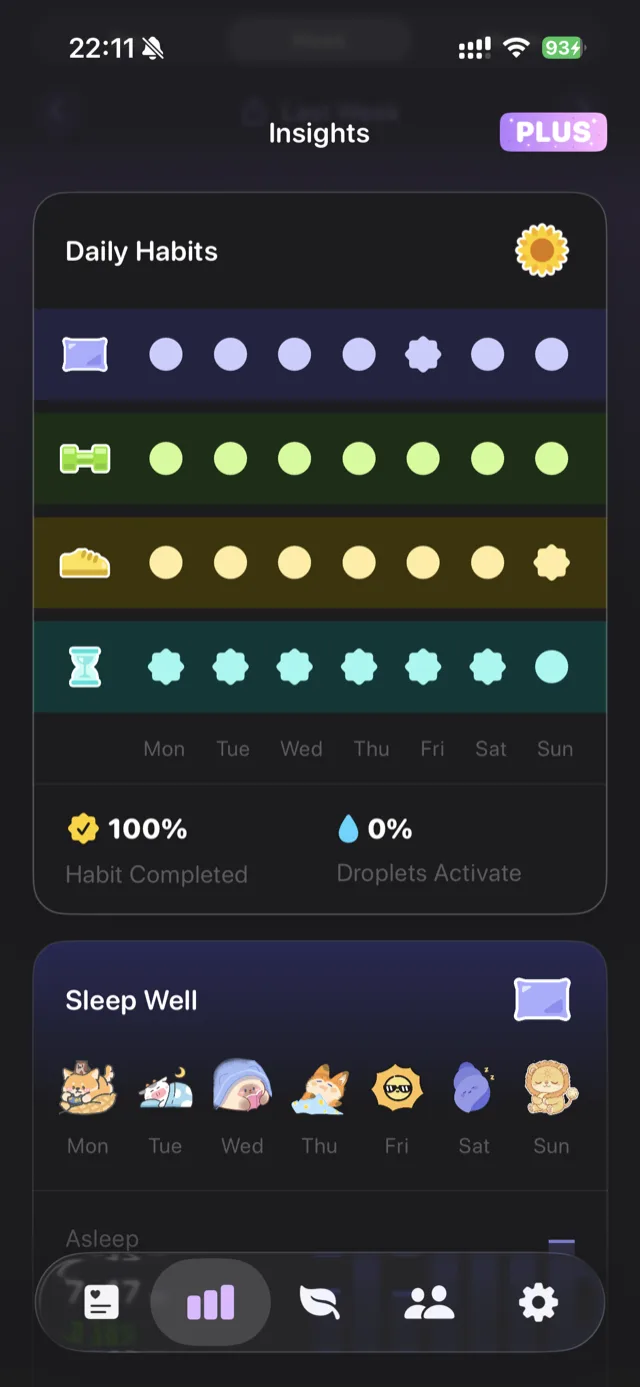
See each day’s habit completion by date in the monthly calendar, and review the month’s progress.
See which qualifying hourly states light up each habit and what virtual rewards they earn. All four must light up on the same day to earn that day’s streak; individual qualifying criteria follow the in-app rules.
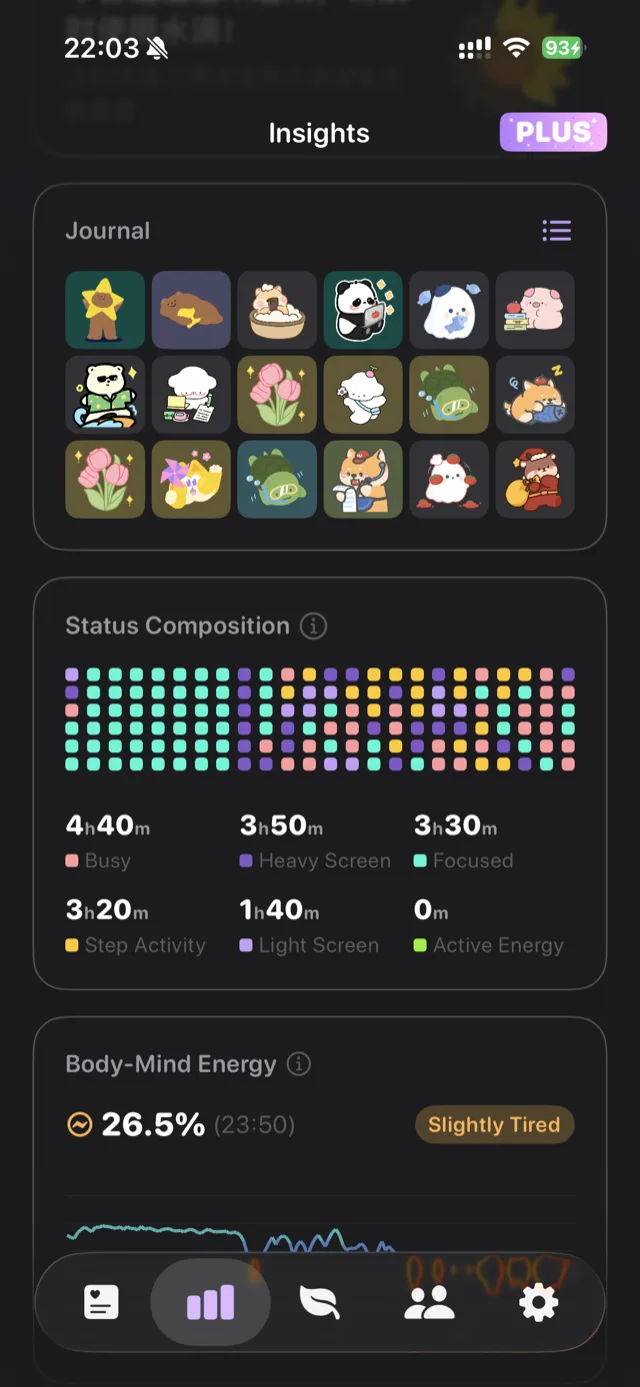
Review how you spent the day through hourly states, Moodji stickers and related records. Reflect on it alongside your Daily Habits and streak, moving from one moment to the whole day.
Put daily states and habits into a longer view with weekly and monthly insights. Review state composition, habit completion and trends over time. The habit calendar records individual days; insights help you review longer-term patterns.
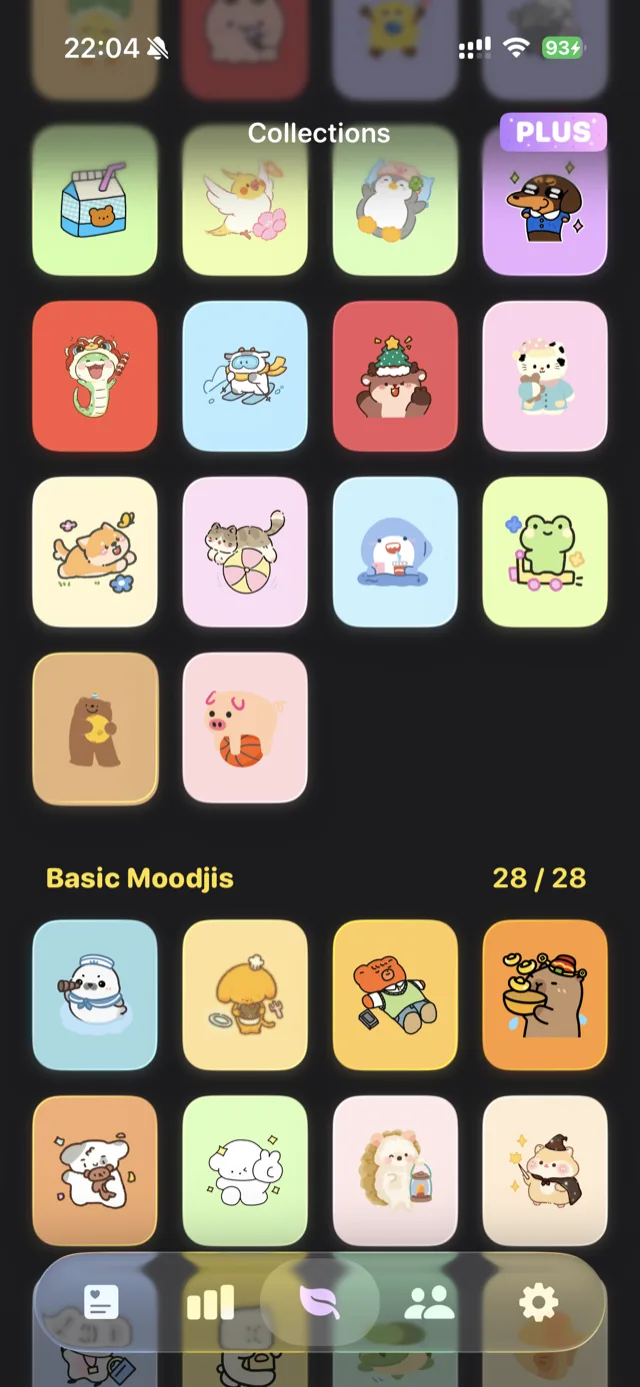
Lighting up Daily Habits earns leaves, an in-app virtual reward. Redeem leaves for Moodji stickers, grow your collection and use them in real-time and hourly state displays. Available stickers and redemption conditions follow the in-app rules.
There’s nothing to log by hand. Habits, states and streaks are all decided automatically from your health data.
Open a state tag to inspect the records and explanations available for that period.
Review your habits over time, with completion criteria explained in the app.
Reminders like “heads up while walking” are inferred from steps and screen use — no location tracking. If existing data can figure it out, we don’t ask for more privacy.
Timely reminders when your energy dips or you’ve sat too long, plus streak milestones that make showing up feel good.
Moodji faces, hourly status, four habits and streaks — free from the start, so you understand yourself right now.
The real-time Body & Mind Battery explains what’s draining you; weekly and monthly insights show the long-term trend.
No. Moodji has no manual check-in or logging at all — wear your Apple Watch and it records your day automatically from your health data and screen use.
Yes. An iPhone alone can track activity, steps and screen use; data from Samsung, Garmin, Huawei or Xiaomi watches also works as long as it syncs to Apple Health.
No. Moodji never requests location permission or collects GPS. Reminders like “heads up while walking” are inferred from steps and screen use, without location.
Apple Health and Fitness include trends and interpretations, including supported sleep and readiness features. Moodji offers its own automatic daily-state timeline and body-and-mind battery using health and screen-use context. Different models answer different questions.
It’s free to download and use. Advanced features like the real-time Body & Mind Battery and weekly/monthly insights require a membership.
A qualifying hourly state lights up the corresponding Daily Habit and earns leaf rewards. Light up all four—sleep, walking, exercise and focus—on the same day to earn that day’s streak. The habit calendar keeps a day-by-day record. See which qualifying hourly states light up each habit and what virtual rewards they earn. All four must light up on the same day to earn that day’s streak; individual qualifying criteria follow the in-app rules.
Start from an hourly or real-time state and open its tags to view related health readings and explanations. Screen-time and habit records add context to your day; they do not all come from Apple Health.
No. Health readings, screen-time records, habit records and Moodji’s estimated states are different kinds of information. Looking at them together helps you review a period; it does not prove why you felt a certain way.
Available readings depend on your device, granted permissions and recorded data. A missing reading does not mean the value is zero.
Leaves are in-app virtual rewards earned by lighting up Daily Habits. Redeem them for Moodji stickers, build a collection and use the stickers in real-time and hourly state displays. Redemption conditions follow the in-app rules.